
OneDrive is my favourite cloud storage because some reasons: best integration with Windows and Android, seamless integration with Office, and have good use experience rather than the others. However, OneDrive has limited storage rather than the other. This article will discuss how to clean up your OneDrive quickly
Step One Empty Recycle Bin
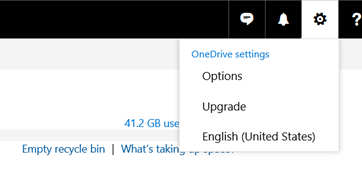
Just visit to ‘setting’ icon (gear symbol), click option and click empty recycle bin. You will erase the recycle bin file permanently
Step two Backup your Old Photos and Clean it from OneDrive
Photos might be files that you already have on Your OneDrive. You can back up your old photos by migrating it to the other free cloud storage that store your photos for free (such as Google Photos, Your Media Server, Flickr, and many more). In order to do that you can visit
Files > Pictures
Try to sync the photos and then migrate it to others photos. My common scenario is
- Use Multcloud, if you want to migrate from your OneDrive Photos to Google Photos
- Use All Way Sync, if you want to move from your OneDrive Photos to Media Server such as Samba
Step three delete or backup your Old Files
Lets backup and delete your old files by visiting
Options > Manage Storage > What’s Taking up Space
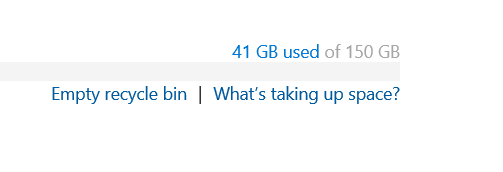
Download and backup that you need, and delete the file that you don’t need. Keeping your OneDrive Clean is a good way to keep it great
Leave a Reply