
Already create a project in your TFS online (http://tfs.visualstudio.com ) ? now it is time to connect your visual studio with the TFS. Here are the steps:
- Open your Visual Studio 2012
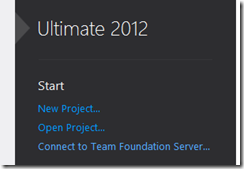
- Select connect to the Team Foundation Server
- The system will show an identity provider. You can login with your Live ID.
- Visual Studio 2012 will show the team explorer
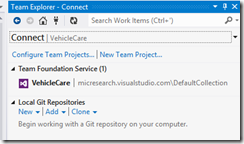
- If this is your first time, you need to upload your code to the TFS. You can read the MSDN article here. The article focuses in upload, checked in and checked out
- If your solution is already bind with GIT or another SVN, you should export it first, through your working copy dialog in Visual Studio
- You can checked out to edit the codes, and check in to put the code to the TFS
Cheers
@ridife
Leave a Reply