
Microsoft Azure Open AI solution supplies a foundation to create generative AI better than before. On this article, we curated five steps to create virtual assistant with Open AI.
- Creating neural voice. On this step, we create custom voice for our virtual assistant. You can start the step by following this tutorial Create a project for Custom Neural Voice – Speech service – Azure AI services | Microsoft Learn
- After we create the custom voice, we can deploy our voice model to the cloud. You can follow this tutorial How to deploy and use voice model – Speech service – Azure AI services | Microsoft Learn
- The voice model can be used by text to speech and speech to text, you can implement text to speech here About the Speech SDK – Speech service – Azure AI services | Microsoft Learn
- Implement the GPT-4 to create ready to use API Quickstart – Get started using GPT-35-Turbo and GPT-4 with Azure OpenAI Service – Azure OpenAI Service | Microsoft Learn
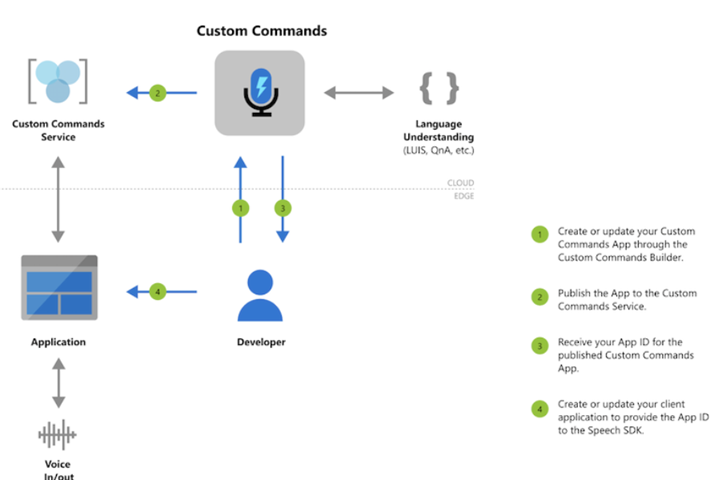
- Adding your custom knowledge to your virtual assistant by adding custom command. Custom Commands overview – Speech service – Azure AI services | Microsoft Learn
Enjoy your weekend!
Leave a Reply