
Problem
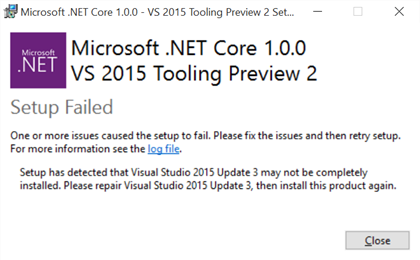
When you click the install button on .NET Core installation you will get this error. Although you already have Visual Studio Update 3 Installed
Cause
This might be happening several packages is not ready or corrupts.
Solution
- Repair your Visual Studio by Re-installing the Update 3.
- Download the latest patch on Update 3 namely Update 3.3 (KB3165756)
- Restart your VS
- Run it again
- If you still having problem, open the download folder where DotNetCore.1.0.0-VS2015Tools.Preview2 located
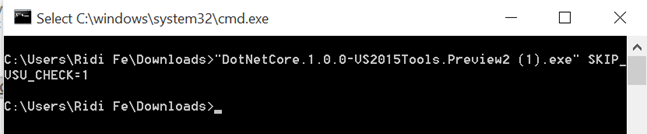
- Open the Command windows from there by right clicking it and Open Command Prompt Here
- Types: “DotNetCore.1.0.0-VS2015Tools.Preview2.exe” -SKIP_VSU_CHECK=1
- The Installation will start, make sure you are connected to the internet to download the dependencies
Leave a Reply