
Year is a just year, basically is just a calendar that show you a moment to reset and to improve yourself. It just like iteration on a software. And the software is You. If the software is a lot of bug, so you must fix it. If the software has few bugs, it is a good time to improve the performance add the feature. And many more!
Today, we will discuss how to improve your productivity in 2021. Let’s get started!
#1 Setting Up your Focus Time.
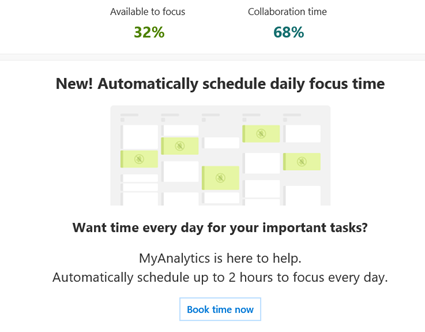
Focus mode is a time frame when you have a set of schedules to work your stuff. Just imagine, if you have a lot of meeting do you have a time to do your stuff. Microsoft 365 has a good feature namely MyAnalytics. It helps you to understand your habit. MyAnalytics help you to understand and put the focus time in the schedule.
- Try to allocate for two hours for your focus mode. Focus mode means you plan, do, check, act what need to be done. It is just like sprint within a time frame.
- Allocate the focus mode in the beginning of the day. You still have a power and a gut to do a focus.
- Do the focus time every day.
#2 Create your daily appointment
You should have one calendar to manage your day. You can have more than one calendar and combine it on Your Outlook. For example, I have three calendars: academic calendar, working calendar, and personal calendar.
- Create you daily appointment before the day (at least one day before)
- If the appointment is collaboration time, invite your peers. Put the essential peers in to, and Put the others one in optional
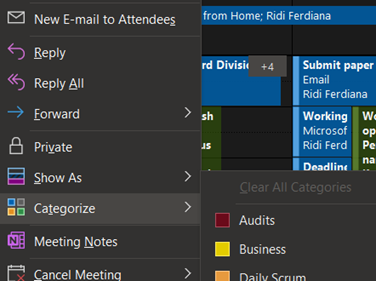
- Label your calendar with categories such as Deadline, Important, Need Preparation, etc.
- Combine multiple calendars on one single view
- Be discipline do your daily appointment, give a time slot with minimum 30 minutes
#3 The Game of To Do
After creating a calendar, you can install Microsoft To Do to manage your tasks. To Do is your milestone, Calendar is your slot when you do the job.
- Create a list of your task category
- Create your task at least one day before so you have a time to plan and prioritize it
- Put your task into My Day feature in Microsoft To Do
- Reschedule your task when you do not have a time to finish it.
- Learn to measure your productivity by understanding how many task that can be solved
You can learn to do here
#4 Flag your important email
Every time you find an email that need to be responded you have two options:
- Answer it right away. This is good way when the email needs a shirt response.
- Schedule it in your focus time. You can flag it and the flag can be read by the To Do as a task.
#5 Ask Your Team to Assign you a task
With Planner, you can request your friend to assign you a collaboration task. Request them to assign it before the deadline day, so you have a time to prioritize.
- Assign with Microsoft To Do
- Assign with Planner
That’s it, hope you can become more productive in this year!
Leave a Reply