
Problem
You want to run your ‘old’ application on Windows 10. However, the application can’t start because ‘its missing mscomctl.ocx”
Cause
Windows 10 doesn’t ship the MSCOMCTL.ocx anymore, the MSCOMCTL.ocx is a library that is used by the Visual Basic 6 Runtime to render the application GUI
Solution
- Download the MSCOMCTL.ocx in Microsoft Download
- On search menu / Cortana search command prompt and run it as administrator by right clicking it
- Copy the MSCOMCTL.ocx file to C:\Windows\SysWOW64
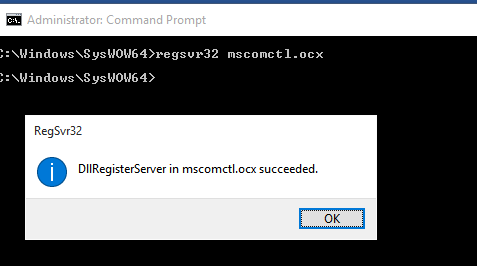
- Navigate the command prompt to the location C:\Windows\SysWOW64 and typed regsvr32 mscomctl.ocx. it should say that the registration succeeded
- Run your legacy application, enjoy!
Leave a Reply