
Problem
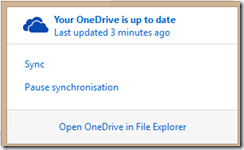
You sync your one drive with your PC and you get an error that tell there is a sync problem, but after you click the detail it is said the all files are up to date
Causes
This is because some temp files can’t be synced to your OneDrive and make a few conflict with your sync status
Solution
- Open your OneDrive Application
- Find a folder that has an issue. it is symbolized by the cross symbol on Windows RT or ‘!’ mark on your PC
- Open the hidden files on File Explorer
- Find the file that has ‘!’ mark on your PC and delete it
- On the OneDrive App click the Sync button
- Solved
Leave a Reply