
In this article, we want to discuss creating a project report from Azure DevOps into Microsoft Excel. So, let’s get started:
- Download the Azure DevOps Office 2019 here Download Visual Studio Tools – Install Free for Windows, Mac, Linux (microsoft.com)
- After installing, choose Team Tab and after that click new List

- You can add server by put https://dev.azure.com/yourorganization/ . The system will show you to authenticate with Microsoft 365 accounts / Microsoft Account
- After successfully authenticating, try to select your project. You can select existing query by clicking query list or choose new
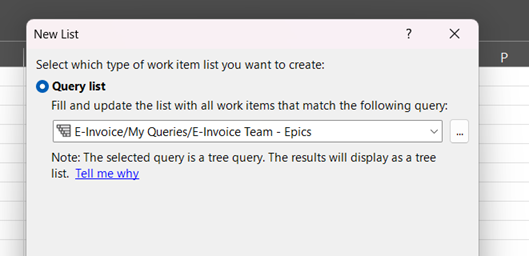
- You will tree list as shown below.
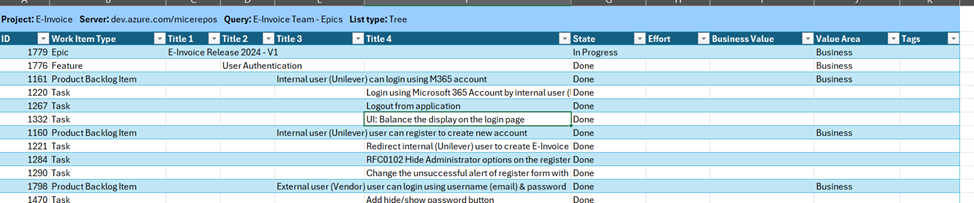
- After that you can create report by creating chart or insert into Microsoft Project.
Leave a Reply