
Once in your development time, you will face a term namely “Bugs Sprint”. Bugs sprint is a term when the entire sprint is running for solving the bugs. The bug’s sprint is a nightmare because:
- It’s contra productive, your team will fix the bugs rather than build a feature.
- It’s draining, your team will face to fix the bugs and may be created another bug (we name it as regression)
- It’s costly, the customer won’t pay you to fix the bugs. Your organization covers your man-hours to cut the bugs.
Based on that, we know how the bugs not only killing your team productivity, crushing your organization budget, and of course make your customer trust lower than before. This article discusses the ways in which to fix and avoid the bugs sprint situation.
Bugs Sprint Prevention
Bugs are not avoided, so you should face it rather than blaming each other. There are three major reasons why the bugs sprint happens.
- The ambiguity requirements. This can be done by doing the several workshops with the customer to make sure the requirements are correct. Sometime, the changes can be avoided. Therefore, the bugs might be risen when some requirements change, and your codes is not solid.
- The only way to prevent the bugs is creating solid codes. The solid codes mean:
- Your UI are clean and simple.
- Your codes are decoupled
- You follow the latest architecture of your technology
For example, if you build web applications you can do as follows:
- Choosing your modern platform stack
- If the application is monolith, choose – Cloud Services / Cloud App / Elastic Beanstalk
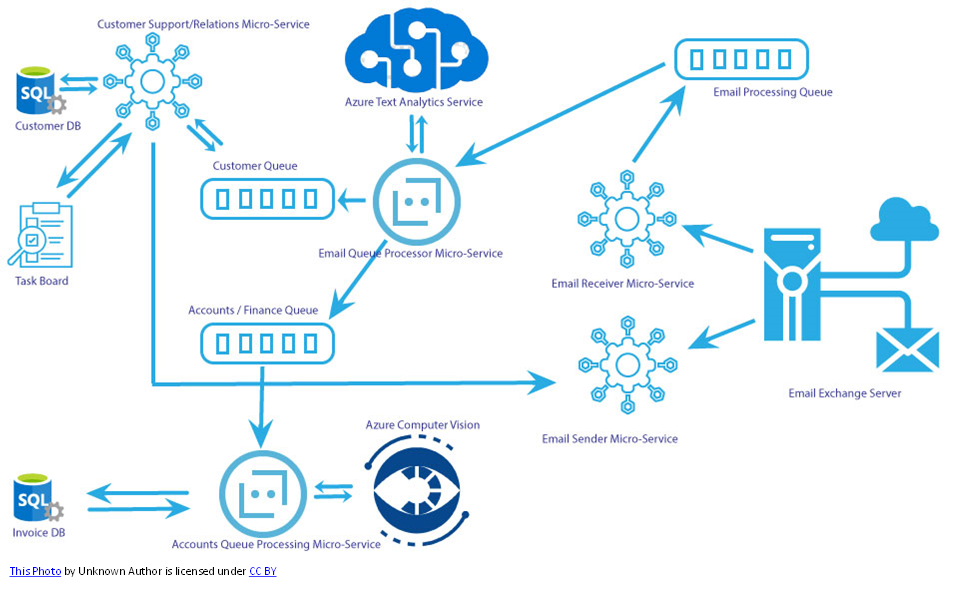
- If the application is microservices, choose – azure function / AWS lambda / messaging options
- I recommend you use
- Microservices for complex and many users
- Monolith for internal company or application
Bugs sprint cure
This is some way to cure the bugs here are the way
- Use Visual Studio to make your codes better. You can see the tutorial here Fix program errors and improve code – Visual Studio (Windows) | Microsoft Docs
- Implement code analysis in your visual studio Code analyzers – Visual Studio (Windows) | Microsoft Docs
- Performance tuning Performance tuning a distributed app – Azure Architecture Center | Microsoft Docs
Reading Recommendation
I recommend you read some of these books to improve your knowledge:
- Solid Code | Microsoft Press Store
- Adaptive Code: Agile coding with design patterns and SOLID principles, 2nd Edition | Microsoft Press Store
- Developing Microservices Architecture on Microsoft Azure with Open Source Technologies | Microsoft Press Store
So you have any ideas to make less bugs and more productive, let me know in the comment section
Leave a Reply